Archived forum. This is a read-only copy of the Smart Keyboard community forum (2010–2015), kept for its history and its skins. Posts are shown as they were written, so some answers are out of date — see Help for current information. Want a post of yours removed? Email contact@smartkeyboardpro.com.
we need t9 option
macieellia2007
Can u please add t9. This would make this so much better please respond
cyrilDeveloper
I'm working on it and it will be ready soon
macieellia2007
Need t9 to have next button so u can funnel threw the dictionary without having to touch the word above. does your dict have predictive text when u use a word a lot it moves that word to the front of the dict.
macieellia2007
How hard would it be to on the portrait t9 mode to have the words show up as u type them like in landscape mode. Now when u type the only way to see what u are typing is looking in the dict. It would be good for the word to type in the space above where u are typing
macieellia2007
Can u change the t9 so that it does it always when u start to type. Now u always have to hit the button to start typing with the dict it always reverts back to tap mode
cyrilDeveloper
macieellia2007 wrote:How hard would it be to on the portrait t9 mode to have the words show up as u type them like in landscape mode. Now when u type the only way to see what u are typing is looking in the dict. It would be good for the word to type in the space above where u are typing
Can you give me a screenshot? It's supposed to be already the case (no matter if you are in T9 or normal keyboard)
And yes I will do something so that the keyboard remembers the status of the "T9" button
macieellia2007
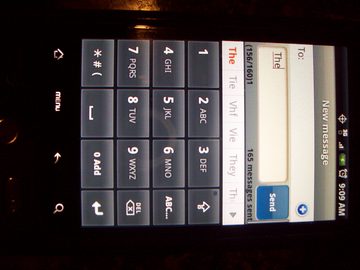
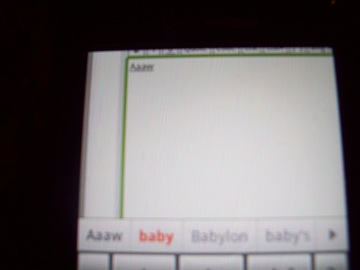
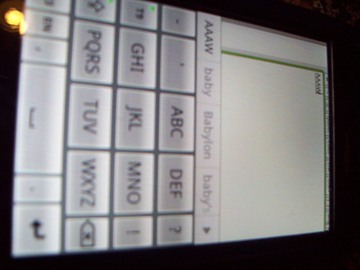
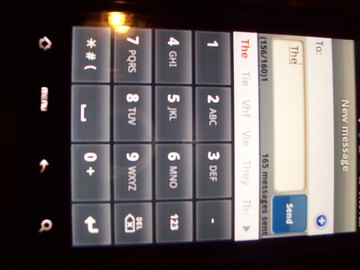
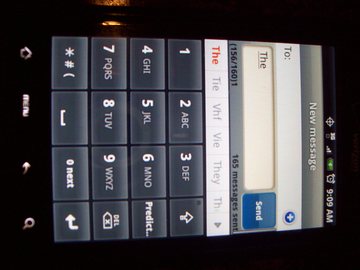
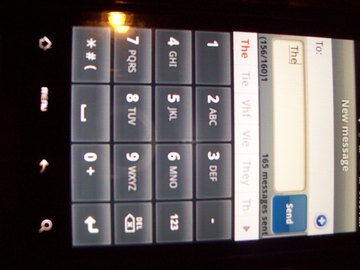
hi ok i have taken two pics of what it is doing. I started using the large letters so that it would show up in the pic better then i noticed when i started to type baby the word in the dict. did not light up orange it showed the letters AAAW. so when using the capital letters what you are typing the predictive text isnt working im assuming. So then i took another shot of it using lower case and the picture showed baby highlighted in the dict field, but on the top where you type or look to type the word came out aaaw. So my question is if you can see what im saying lol is when you type the words is it possible for the words to automatically type in the white field not just in the dictionary. i will attached the screen shot of your app t9 keyboard and ill also attach a screen shot of an app that does the words in the dictionary on top also. it also has a screen shot of the next button so you can scroll thru the dictionary without touching up above or hitting the arrow key to go further into the dictionary. hope this helps.
macieellia2007
these are the screen shots
Attachments
3.jpg2.jpg1.jpg
macieellia2007
these are the rest of the screen shots that are of the other app that has the next key and numeric keypad option. it goes from predictive text then abc then numeric.
Attachments
ebay 001.jpgebay.jpgbreast collar.jpg
cyrilDeveloper
OK I understand. Actually this behaviour could be done even with the normal layout, not only T9, as does the HTC IME. I already had this in mind actually
macieellia2007
thanks krista
macieellia2007
Have u thought of any of tgd suggestions from this request with the dict and next button.
cyrilDeveloper
Yes it's in the TODO list, but there are many other things to do