Archived forum. This is a read-only copy of the Smart Keyboard community forum (2010–2015), kept for its history and its skins. Posts are shown as they were written, so some answers are out of date — see Help for current information. Want a post of yours removed? Email contact@smartkeyboardpro.com.

Darkgreen and Darkorange skin

tls
Hi there,
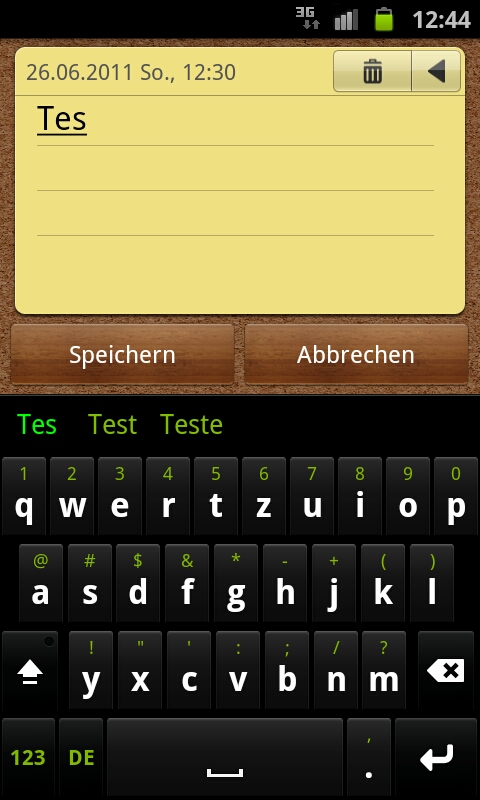
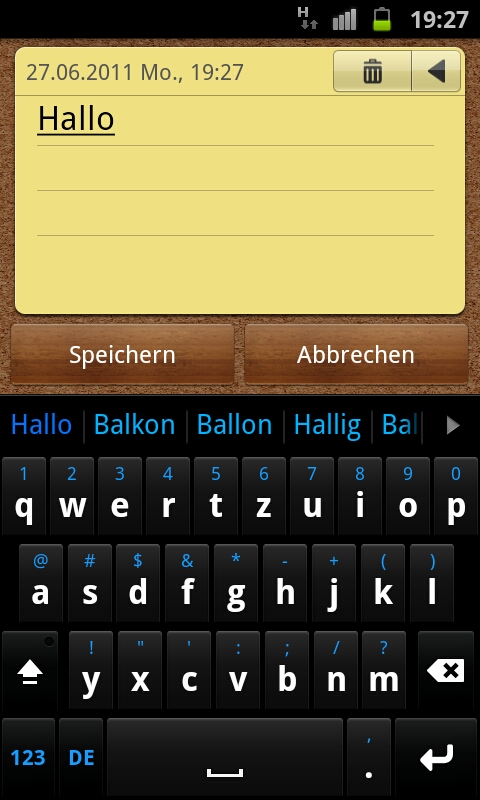
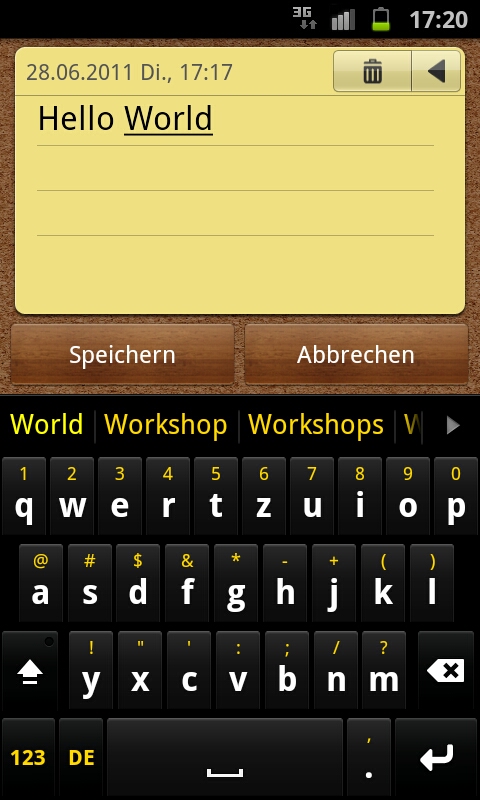
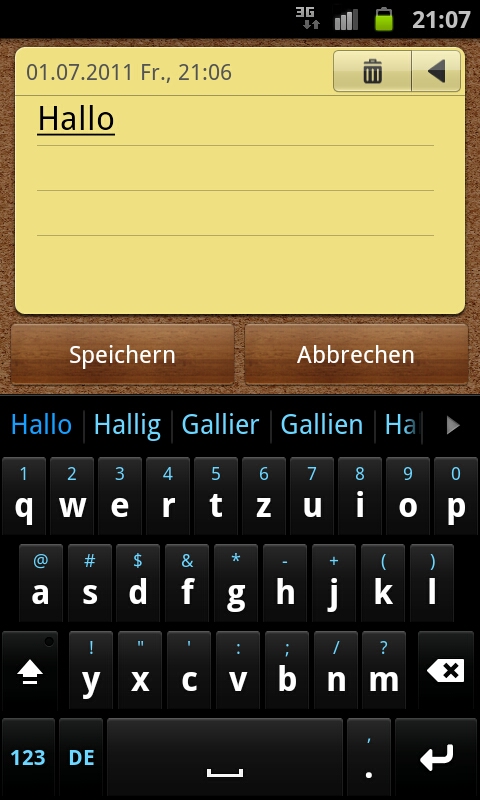
I've got Smartkeyboard only three days ago and I loved it right from the beginning. But I couldn't find a skin like I had in mind, so I decided to skin it by myself.
The result was better than I thought so I'd like to share these skins with you. To be honest they were inspired by a skin I saw somewhere in the internet.
Please have in mind that I'm a skinning-noob, who hasn't fully figured out those 9-patch pngs and I couldn't test the lowres-version. If there's odd graphic for you, let me know
and I will try to fix it!

I want to thank stealthychief, for his friendly permission to use his skin.xml aswell as several graphics from his skins!

If you like these skins let me know, and feel free to customize them as you like

Also let me know if they turn out too dark on your phone.
Attachments

DarkGreen.zip 54.5 KB · downloaded 3,555 times

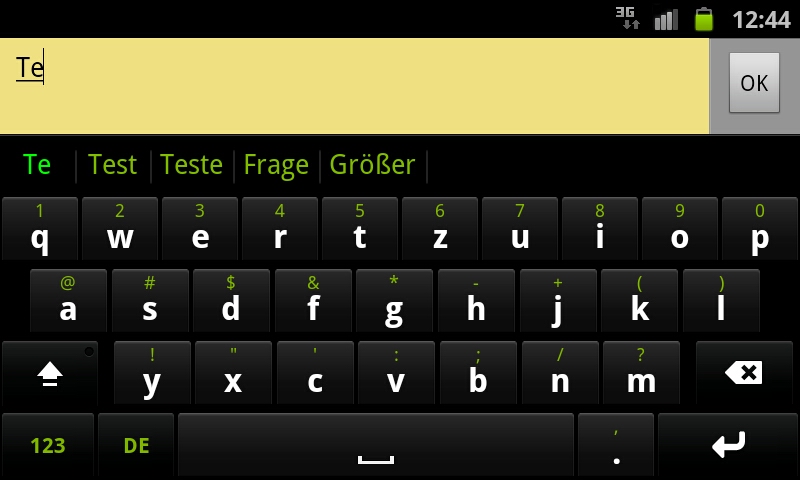
DarkGreen_lndscp.jpeg
DarkGreen_prtrt.jpeg
tls
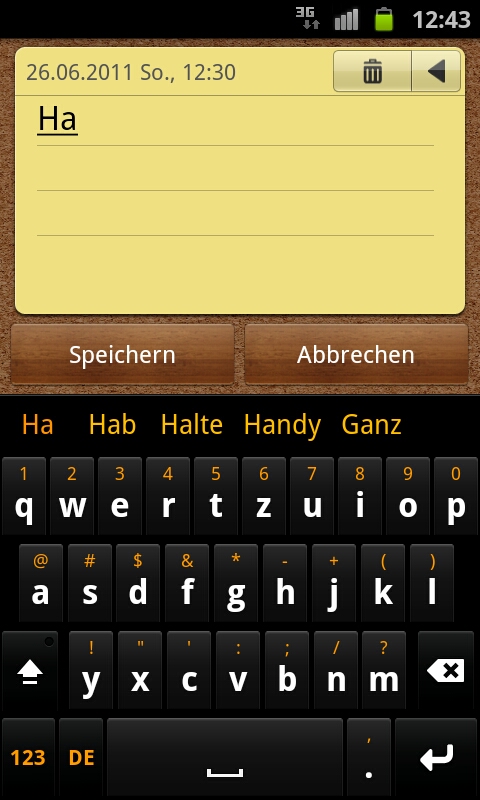
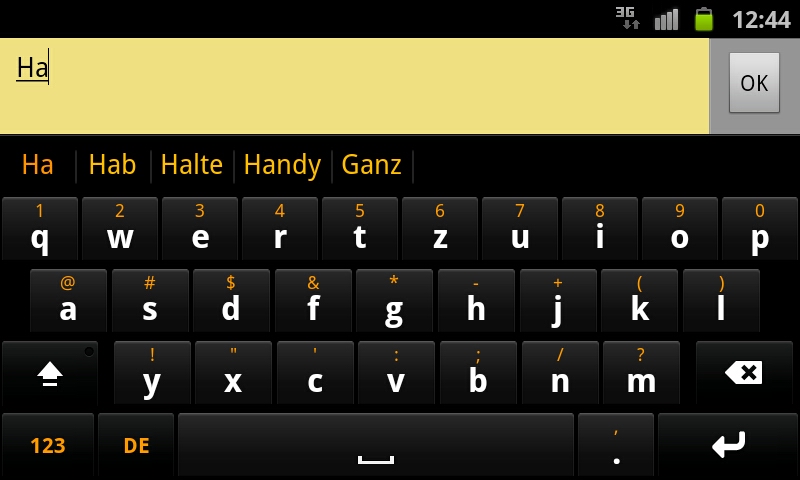
Here we go with the DarkOrange skin

Attachments

DarkOrange.zip 66.2 KB · downloaded 3,193 times

DarkOrange_prtrt.jpeg
DarkOrange_lndscp.jpeg
nick.koutrelakos
These skins look awesome on my Incredible. Only one request; can you make the selected word for the dark green a bold green color rather than bold orange? Other than that, good work my friend.
tls
Thanks, Mate! I don't think I know what exactly you are talking about. Please explain what the "selected word" is.

EDIT says: Ahh, I see but don't know how to change. If you know a skin where this isn't orange please tell me, for I couldn't find one.
fvs114
nick.koutrelakos wrote:These skins look awesome on my Incredible. Only one request; can you make the selected word for the dark green a bold green color rather than bold orange? Other than that, good work my friend.
What about adjusting color of suggested word in settings of Smart Keyboard PRO?
___________________________________
FVS114

SGS GT-I9000 - Gingerbread 2.3.4
PrettyGrlSwag26
Pink and blue skin would be great. Can u do it for me plz?!?
tls
@ nick.koutrelakos

I'm sorry, but that's not possible at the moment:
cyril wrote:
tls wrote:Hi there,
is it correct that there is no way to change the background color of a selected word in the suggestion bar?
It seems to be always orange, but it would be really cool to modify it.
That's right, but this could be added in a future version of the skin engine.
@fvs114

That option affects user defined text in the suggestion bar only.


@PrettyGrlSwag26

Easy as pie! I'm working on it right now.
tls
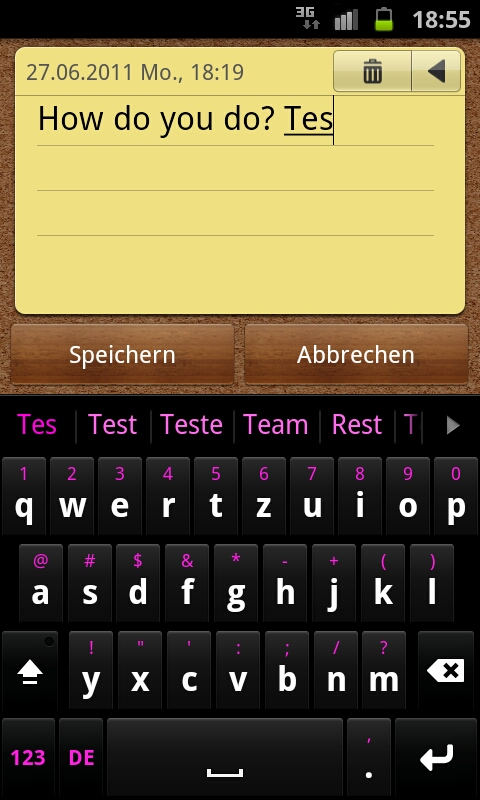
Here we go with the DarkPink-skin

Hm did I say "easy as pie"? I didn't have in mind that the Buttons had to be altered too... :roll:

Btw on these supercool AMOLED Displays even pink looks great! :D

Attachments

DarkPink by tls.zip 68.3 KB · downloaded 1,203 times

DarkPink_prtrt.jpeg
DarkPink_prtrt.jpeg
tls
And now the DarkBlue skin, I hope these will meet your expectations.

Attachments

DarkBlue by tls.zip 67.4 KB · downloaded 1,535 times

DarkBlue_prtrt.jpeg
DarkBlue_prtrt.jpeg
PrettyGrlSwag26
Oh wow I love them soo much. Keep them comin'
tls
Thanks! Although I'm not too happy with the blue one...

As to the "Keep them comin' ": I won't be able to do further modifications before this weekend.
But if there are any suggestions please tell me.
newdeepdan
I really love this skin. Can you make one this gold color? Hex #FFD700
tls
Sure! I was thinking about a somewhat yellow version anyway.
May be I'll be able to do it today, but no promises. ;-)
PrettyGrlSwag26
My last one would be baby blue and datz it for me :)
tls
I've managed to do the 'Gold'-Version today. Technically it's yellow with a little more red than green but it's the color 'newdeepdan' asked for, referring to it as gold.
Besides 'gold' sounds better than 'yellow' :D

@PrettyGrlSwag26

I'm sorry but as I mentioned earlier I'm rather busy this week and todays spare time was consumed by the Gold-skin.
I might be able to do the baby blue on Friday but I will definitely do it on Saturday.
It would be nice if you could deliver me a specific color code, as the previously made DarkBlue skin has already some bright blue colors.

Hm, it seems that the DarkPink-skin is the least popular even though it's my favorite! Guess I'm losing my Y chromosome :o

Attachments

DarkGold by tls.zip 67.9 KB · downloaded 1,012 times

DarkGold_prtrt.jpeg
DarkGold_prtrt.jpeg
newdeepdan
THANK YOU SO MUCH! and such a fast response! I'm still in shock! thank you thank you thank you a billion times over!

Edit: I tried installing these skins on my tablet (Galaxy Tab 10.1) and it didn't work. Anyone out there that can help? Using the default installed skins are fine though.
tls
As promised, here's the (hopefully) DarkBabyBlue skin. I hope it's near to what PrettyGrlSwag26 asked for!


@newdeepdan

I'm sorry I can't help you but I do not own an Android tablet nor can I imagine why this isn't working.

Attachments

DarkBabyBlue by tls.zip 66.2 KB · downloaded 947 times

DarkBabyBlue_prtrt.jpeg
twins0190
Is there a way to change the number keys (?123) to just a white font myself? I'm using the Darkgreen skin and the font color is white, and I dont use the alt keys above the letters, so I would like to change the ?123 to white as well.
tls
Yep, there is a way it's pretty easy. Unzip the 'Darkgreen.zip' open up the 'skin.xml' with Notepad/Editor/Whatsoever and search for
this string:

<colors>
<label bold="true">#FFFFFFFF</label>
<alt-label>#FF82B600</alt-label>
<mod-label>#FF82B600</mod-label>
</colors>

then change to:

<colors>
<label bold="true">#FFFFFFFF</label>
<alt-label>#FF82B600</alt-label>
<mod-label>#FF000000</mod-label>
</colors>

Then save the skin.xml and zip it up with the two folders 'drawable' and 'drawable-hdpi' - Bring the Zip back to the skins folder on your phone and you're finished!
PrettyGrlSwag26
Can u make a 4th of july keyboard skin? If so let me kno.
Boris Lozac
Hi there, i'm loving these skins, can you please make it for the lower res devices, like HTC Wildfire? Would be apreciated! :)
tls
Hello Boris, I've also read your PM.

Please try the reworked Darkgreen.zip from this Post and make sure that You choose this one in the Skin Selector instead of the old one.
Then tell me if it's working. If so, all the other skins could easily (=in no time) be altered too!

Attachments

DarkGreen.zip 53.0 KB · downloaded 657 times

Boris Lozac
It displays it as all black, like a black surface with no shades, and white letters, same as with the old one.

Anyway, i figured out a way to modify skins, i darkened another skin in photoshop that i liked but was too bright, loving the results it's similiar to yours now :) so there's no need to bother ;)
4tonmantis
I was wondering if you could make the skins in mdpi or ldpi format? All the skins come out plain black on my device(optimus v) unfortunately for me, because the dark and light blue skins are awesome.