Archived forum. This is a read-only copy of the Smart Keyboard community forum (2010–2015), kept for its history and its skins. Posts are shown as they were written, so some answers are out of date — see Help for current information. Want a post of yours removed? Email contact@smartkeyboardpro.com.
New feature: Unicode input
cyrilDeveloper
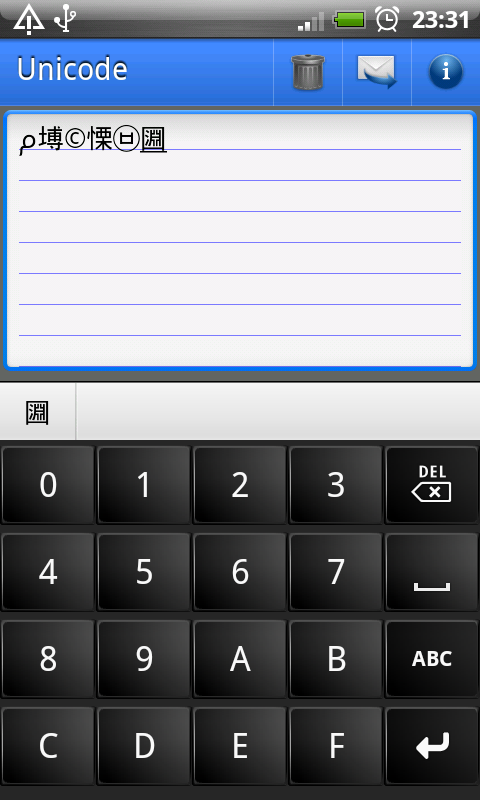
Hello, I added a new feature in the latest beta version, that will be useful, I think. It's a Unicode panel, which allows to enter directly Unicode code points (in hexa). It's accessible with a long press on 123. Of course to take advantage of this feature, it can be used to define custom smileys, custom autotexts, etc.
Hint: you can tap the character in the suggestion bar or use enter key to validate a character.
Let me know what you think
Attachments
device.png
Vanav
Thank you for very important feature! How to use Unicode panel in latest version?