[REQUEST] MattedBlues Keyboard
On it.
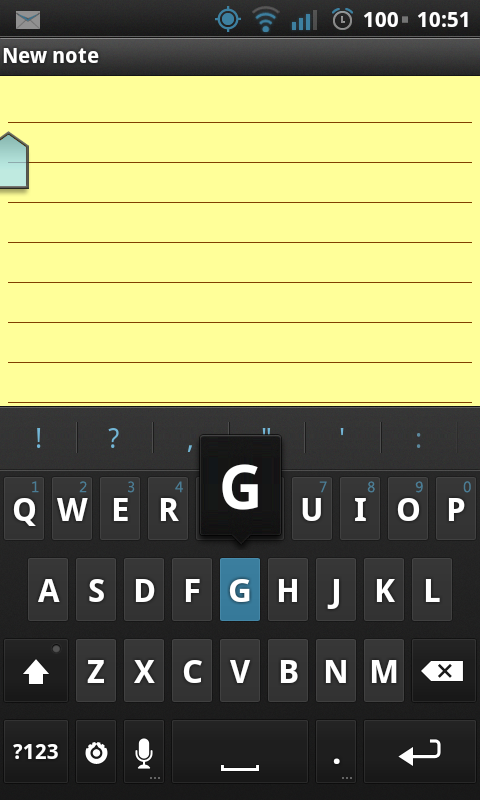
Can you please post a screenshot of the keypress? Otherwise I'll just add what I think looks best.
And what's the theme called, so I can name this?
Can you please post a screenshot of the keypress? Otherwise I'll just add what I think looks best.
And what's the theme called, so I can name this?
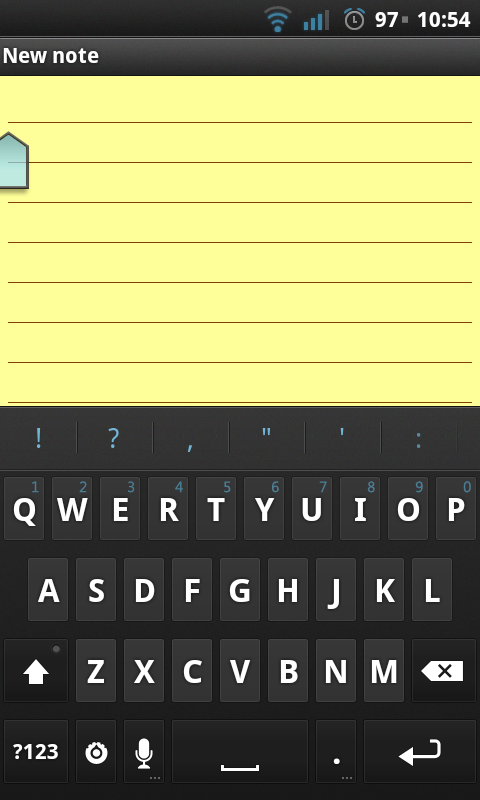
This is how it looks like so far. Screenshot needs to be clicked to be viewed at full resolution (this is MDPI, so it's obviously going to look pixelated).
EDIT: Ignore the background for now, I just barely noticed that it's only two pixels
What I haven't done:
-modifier keys
-custom candidate color
-HDPI
Please, anyone, let me know if you have suggestions.
External image (img820.imageshack.us)
EDIT: Ignore the background for now, I just barely noticed that it's only two pixels
What I haven't done:
-modifier keys
-custom candidate color
-HDPI
Please, anyone, let me know if you have suggestions.
External image (img820.imageshack.us)
I like this keyboard, will you be also doing it in different color options possibly?
newdeepdan wrote:I like this keyboard, will you be also doing it in different color options possibly?Don't see why not. I will finish this ne first, though.
Besides this color, I think a red version would be nice. Any other requests?
And most important, does the current skin look ok?
I think the keyboard is great. Can you do a purple one?
Looks nice but it would be awesome if you could do it for hdpi.
bigmike09890 wrote:Looks nice but it would be awesome if you could do it for hdpi.Yes, I'm going to. I only did mdpi first because that's the kind of phone I have, and so I can correct any mistakes before creating hdpi version.
Now that you approve the screenshot, I can create hdpi.
TheTehk17 wrote:Thanksbigmike09890 wrote:Looks nice but it would be awesome if you could do it for hdpi.Yes, I'm going to. I only did mdpi first because that's the kind of phone I have, and so I can correct any mistakes before creating hdpi version.
Now that you approve the screenshot, I can create hdpi.
Apologize for the delay. I'm always going to be busy Monday-Wednesday, and I just posted my first ROM at SDX
so now I was able to work on this only today. But I got HDPI done.
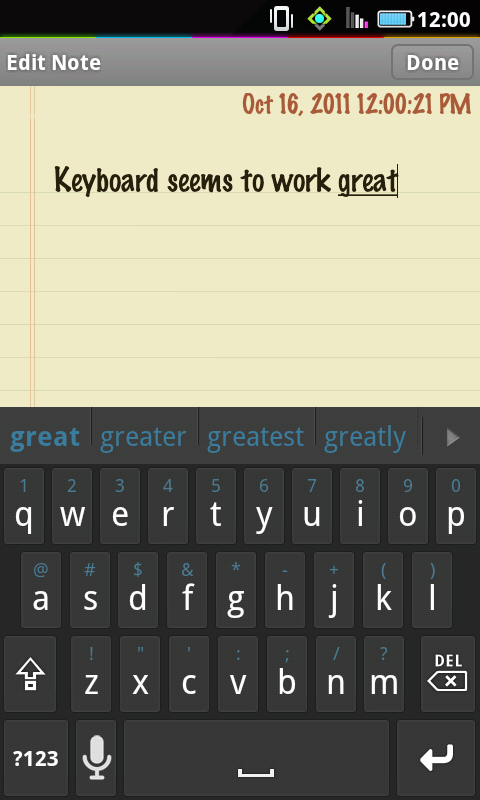
Anyways... will someone test this out. It works on MDPI but I have NO idea if it will work for HDPI. Can someone post screenshot?
testskin.zip 37.1 KB · downloaded 1,007 times
Looks really good! thanks!
EDIT: one thing i noticed, when double tapping the shift button to turn on CAPS LOCK, the shift button does not change colour to let you know you are in CAPS LOCK mode. any way you can edit that to make it stay blue for that ?
Works good on dx2
Looks awesome. My only concerns are the shift button mentioned earlier and possibly making the auto corrected word that will be used more visible. But it is definitely usable as is and will be my main skin. Thanks 
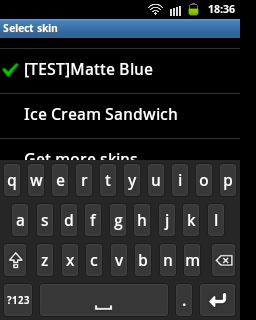
hi can you resize the skin you work properly on ldpi devices? here's the screenshot ldpi how it looks now. Resize it like you did on ice cream sandwich skin it work flawlessly on my ldpi galaxy mini...
And also can you remake it like this one? on the page you can find all images for it. (first picture)
http://forum.xda-developers.com/showthr ... ?t=1241742
Pls can some1 resize it? i tried it by myself but its just black and dont know what to do...
Gnaver wrote:And also can you remake it like this one? on the page you can find all images for it. (first picture)I could use it as a visual guide, but I cannot port the pngs from that thread- it's borderline illegal, and some people at XDA aren't very... friendly... if I were to upload this skin using the pngs of their mod, they could request the file be taken down. And I don't want that
http://forum.xda-developers.com/showthr ... ?t=1241742
Anyways, I tried to resize it for you (what's the res on your display? 480x340?). There are two files. The first one is optimized for ldpi; the second contains /drawable-hdpi, /drawable, and /drawable-ldpi folders in an attempt to create an all-in-one zip. Doubt it will work but give it a shot anyways
Let me know how they work for you.
mb_test_ldpi.zip 18.8 KB · downloaded 677 times
mb_test_universal.zip 55.3 KB · downloaded 1,427 times
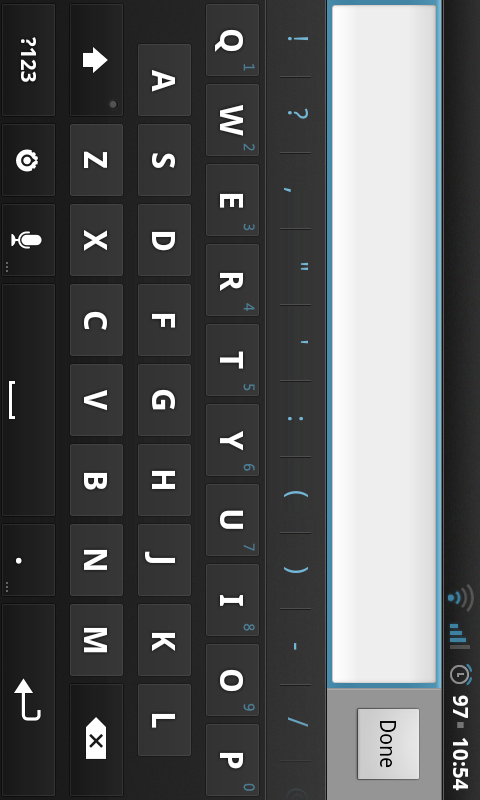
The universal one is the same look as I posted but ldpi works great. Thanks for it. And will be very grateful if you can remake the skin from Xda for ldpi. My screen res is the lowest so 320 x 240 I think.