Archived forum. This is a read-only copy of the Smart Keyboard community forum (2010–2015), kept for its history and its skins. Posts are shown as they were written, so some answers are out of date — see Help for current information. Want a post of yours removed? Email contact@smartkeyboardpro.com.

No alternatives with longpress

jt1
Hi

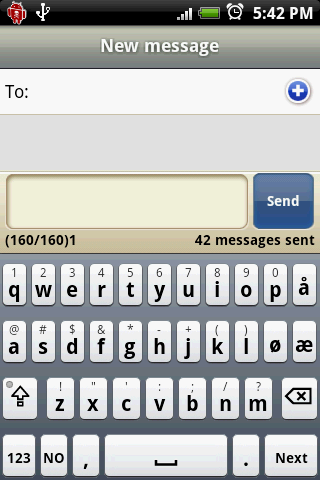
I live in Norway where we use the special letters æøå. Before i installed SKP I was able to long press a to get å or æ. O to get ø. I am not able to do that now. Wich is frustrating. Is there support for this in SKP? What to do?
cyril Developer
Hi
there is a norwegian layout in SKP!! You don't even need to long press for that, there are additional keys

(just play with the "language key" option)

Attachments

device.png
device.png
jt1
Sorry, I was meaning the Hardware keyboard... I use that all the time. Is it a solution to that?
cyril Developer
aaa ok
It was already asked somewhere else (for german I think), and indeed that's not possible at the moment. But you can now use the bug tracker to ask for it ;)
jt1
OK. Thanx. I will. SKP is in other ways VERY good!
caccolo
Hi, i have a similar problem on my motorola Backflip (italian retail), when i push the botton for all special letters like èéòàì i can't see the alternatives but it put the number related... how can i solve???

thanks. (sorry for my english)
cyril Developer
You mean with the hardware keyboard? There is no solution at the moment, some development is required to make this work for non-english keyboards
caccolo
what u mean with the hardware? the keyboard of my backflip??? i have problem with the soft when i put letters without the hard one...
cyril Developer
Ok, so that's not the problem described in this post...
Do you use the "IT" layout? Which version of the keyboard do you have? (check in "About..." in the settings). There should be no problem, all the accents are there on the italian keyboard
caccolo
ops sorry :P i use the 2.3.2 with IT language and dictionary... Also other people have the same problem, we can't choose letter like éè when we push button 3 (or other like òàìù) on T9 layout.
cyril Developer
Ahhhh this is with T9 !
Ok so that's normal, the T9 layout is only for english at the moment. I will work on this for future versions
mbrouns
I have the same issue. Used to be able to press/hold letterss like e or a and get a small popup showing accents... now I don't even know how to type them?! Doesn'ct appear irrespective of the language I'm selecting...

Have latest version (2.5.3) running. Please Fix. This is a show stopper for many Europeans (or perhaps non-English speaking users)!
cyril Developer
Which language are you talking about? I have added accents in the T9 layout for all the needed languages, so if I forgot one can tell me which one?