Archived forum. This is a read-only copy of the Smart Keyboard community forum (2010–2015), kept for its history and its skins. Posts are shown as they were written, so some answers are out of date — see Help for current information. Want a post of yours removed? Email contact@smartkeyboardpro.com.

hTC Sense 4.0 Skin v1.1 for HDPI

hoon1256
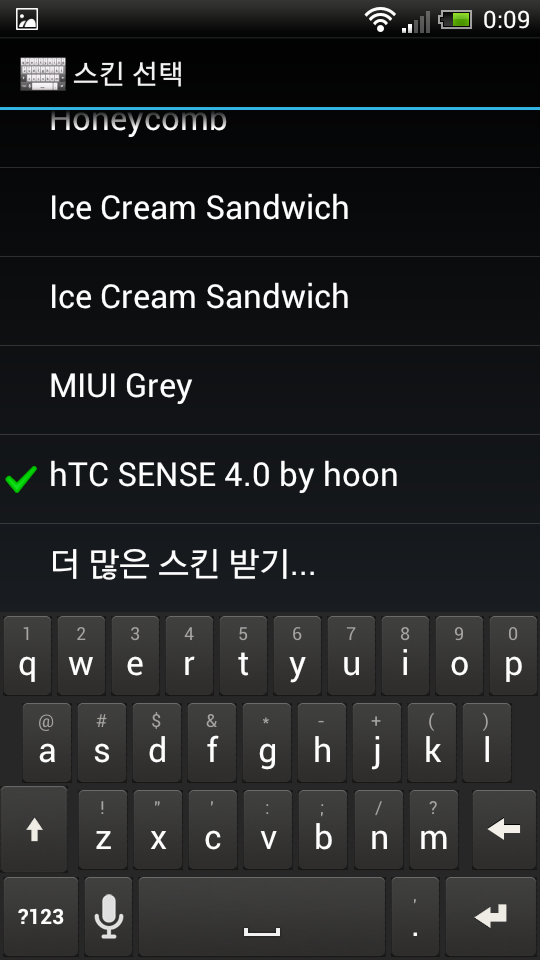
Screenshot_2012-04-17-00-09-43.png
IT IS SENSE 4.0 skin for Smart Keyboard Pro

It's my 3rd work!

I wanna say it is just version 1.1, so I should mend more things!!

I think there is no option to select another color when I press keyboard.

It should be updated by SmartKeyboard Developers

just tell me your opinion or request

Email - hoon1256@gmail.com
twitter - Junghoon_Song

Change log
chaged alternative character color

#####can't make sense 4.0 skin anymore. I don't have any source file.#####

Attachments

sense4 v1.1 by hoon.zip 34.1 KB · downloaded 16,532 times

PROXIMO
10x looks good, the only thing there is no other colour on key press, i have no idea how is the original

Sent from my HTC Sensation Z710e using Tapatalk 2
gartzen
hoon1256 wrote: I think there is no option to select another color when I press keyboard.
If you use the option to zoom in to the letter when you press it, that zoom in can't be skinned. If you disable that option, no zoom when pressed, then you can skin that press status.

Nice work by the way :P

Edit:
I've been using it a while and it's awesome. The keypress is the only wierd thing, if the zooming is disabled. In this video you can see the key in action, and the difference on keypress is that the letters in the keyboard go form white to green. Although the zoom in option looks quite similar to smart keyboard's.
hoon1256
gartzen wrote:
hoon1256 wrote: I think there is no option to select another color when I press keyboard.
If you use the option to zoom in to the letter when you press it, that zoom in can't be skinned. If you disable that option, no zoom when pressed, then you can skin that press status.

Nice work by the way :P

Edit:
I've been using it a while and it's awesome. The keypress is the only wierd thing, if the zooming is disabled. In this video you can see the key in action, and the difference on keypress is that the letters in the keyboard go form white to green. Although the zoom in option looks quite similar to smart keyboard's.
Actually I use SENSE 4.0 on my Sensation!! Even though I use it, there is no option to change color when I pressed keyboard (may be you could know how it works through skin.xml file)
hoon1256
ezeygtr40 wrote:Nice 1...can u make for mdpi also? Plz?

Sent from my X8 using Tapatalk
OK!!! I'm gonna make it!
gartzen
Ok. So I have been doing some research, and the only theme that has a different color for the letters when the are pressed is the iPhone skin that comes with smart keyboard. Every custom skin has the same color for pressed and not pressed key.

So I guess the only one that can help here is the coder himself.

It's a pity, because your skin looks really great. But for those of us who don't like the popup system, it's too hard to see if we're pressing the keys we want.
PROXIMO
also have a look at the pattern below the buttons on the original skin
Arcturus Zer0
First of all, great great work!!

There is hardly any diffrence between the skin and the origianl...

secondly, for those who can't get it to work, I am assuming you have (like me) two cards, Internal and External.

I tried, as per the instructions, to put it on the root of the SD card. Nothing.

:idea: Then! I just copied the folder 'skins' to the internal card and boom!
OR All you have to do is make a 'skins' folder with the skin's .zip and also extract it for safety reasons...and there you are!
superleeds27
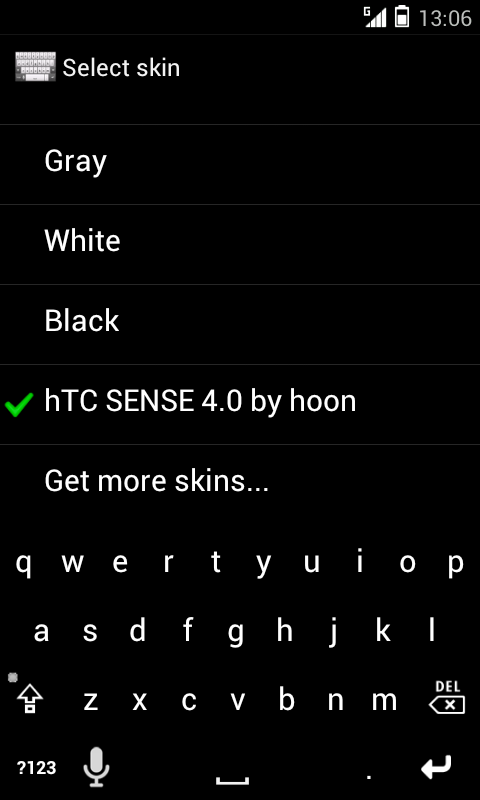
Any reason for me getting the following?

Attached the image.

Using Galaxy s2 at 216DPI.

Attachments

Screenshot_2012-06-29-13-06-17.png