Archived forum. This is a read-only copy of the Smart Keyboard community forum (2010–2015), kept for its history and its skins. Posts are shown as they were written, so some answers are out of date — see Help for current information. Want a post of yours removed? Email contact@smartkeyboardpro.com.
New Korean layout (short vowels)
cyrilDeveloper
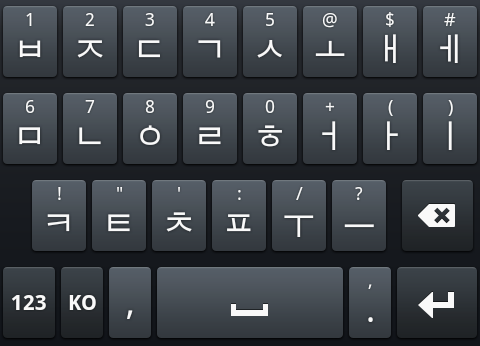
The latest version 3.7.0 contains a new Korean layout with less keys (double tap or long press for double letters) Hope you like it!
EDIT: I removed the beta as this version is now official
Attachments
device.png
pithanks
oh! really great and I love this!
Works well and very handy but needs a improvement.
Please check the below out.
- typing two chars fast makes keyboard turned into symbol mode sometimes. - keyboard can't follow fast typing well. Try to type any chars fast.
Thanks!
cyrilDeveloper
typing two chars fast makes keyboard turned into symbol mode sometimes.
Probably a swipe gesture detected by mistake. If you don't need it, disable the swipe right gesture
keyboard can't follow fast typing well. Try to type any chars fast.
Can you give a precise example?
pithanks
thanks for the quick answer!
first thing is you're right!
and I tried second thing again. It's like a multi touch problem.
I checked multi touch option first and tried to type.
I couldn't type char while I was pressing another key.
could you check this out please?
chylife
cyril wrote:The latest beta version contains a new Korean layout with less keys (double tap or long press for double letters) Hope you like it!
wow, now i can type more accurately. I think this is the coolest update.