Archived forum. This is a read-only copy of the Smart Keyboard community forum (2010–2015), kept for its history and its skins. Posts are shown as they were written, so some answers are out of date — see
Help for current information. Want a post of yours removed? Email
contact@smartkeyboardpro.com.
Moved from the old discussion thread. Original post:
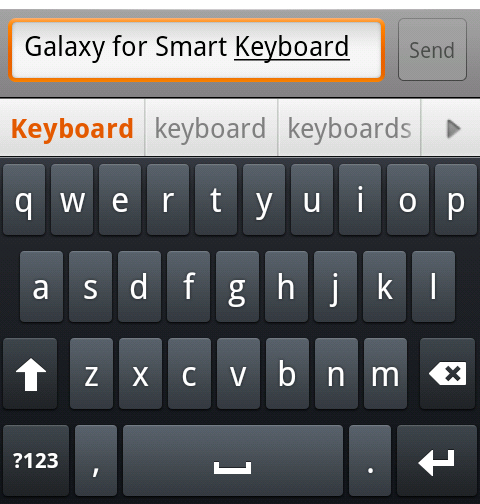
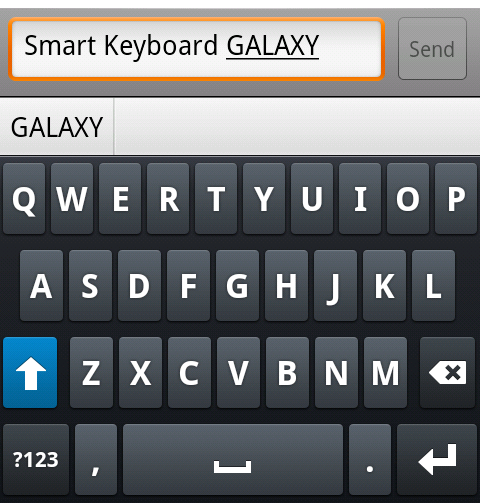
http://www.dexilog.com/smartkeyboard/fo ... t=50#p2541 Galaxy, for medium- and widescreens Now included in the default installation of Smart Keyboard Pro.
Galaxy Green, for medium- and widescreens A variation of Galaxy, with green highlights (like HTC Sense)
Download here:
galaxy-green.zip 25.0 KB · downloaded 19,449 times
Galaxy Orange, for medium- and widescreens A variation of Galaxy, with orange highlights (like Nexus One)
Download here:
galaxy-orange.zip 24.7 KB · downloaded 13,789 times
Galaxy Bold, for medium- and widescreens With bold letters and symbols
Download here:
galaxy-bold.zip 25.7 KB · downloaded 46,493 times
Ever since applying this skin, I haven't gone back to anything else. Loving the simplicity, yet sleekness of the look. Great work, Zen.
One question, is the Galaxy-Orange skin HD?
Hi, could we please get the orange, and green one in bold, thanks

onthecouch wrote:One question, is the Galaxy-Orange skin HD?
Large displays (including WVGA) are supported.
dsf wrote:Hi, could we please get the orange, and green one in bold, thanks
Here you go:
Galaxy Orange Bold Download here:
galaxy-orange-bold.zip 24.7 KB · downloaded 6,012 times
Galaxy Green Bold Download here:
galaxy-green-bold.zip 25.0 KB · downloaded 6,119 times
can u make a pink and magenta usin' dis keyboard plz? If so let me kno, thanx!
Hmm, i used it until now. ^^ Looks neat and cool. Wish there are more colours like pink.

Galaxy-bold, with green font
galaxy-boldx.zip 25.7 KB · downloaded 1,061 times
galaxy-bold, green font, 50% transparency background
galaxy-green-bld.zip 25.4 KB · downloaded 952 times
galaxy-bold, purple font, 50% transparency background
galaxy-prpl-bld.zip 25.4 KB · downloaded 1,072 times
that way, when the keyboard is set at 80% transparency, the total background transparency will be 40%, while the font maintain higher transparency (80%). set keyboard height at maximum, always full screen during landscape, than the entire screen can be use as keyboard while what is typed still visible at the background.
i do not know how to make screen capture, but it's work fine in my device, even though it's not that neat.
actually, i want to make the font orange, because it better in visibility than purple, but i can not find working color code for orange, so instead I use #FFFF00BC for purple. red, blue and yellow are not high in contrast.
last one, it's not -hdpi, because my phone is an old one,i don't have time ( i don't need) to create the NinePatch PNG for drawable-hdpi