Archived forum. This is a read-only copy of the Smart Keyboard community forum (2010–2015), kept for its history and its skins. Posts are shown as they were written, so some answers are out of date — see Help for current information. Want a post of yours removed? Email contact@smartkeyboardpro.com.
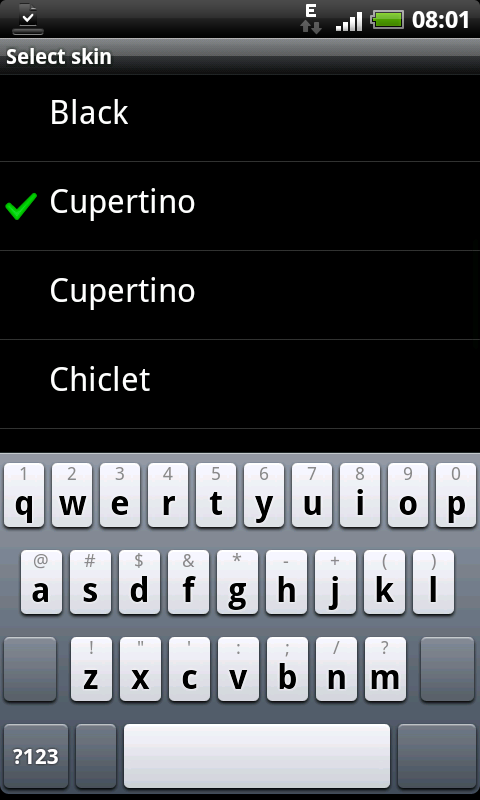
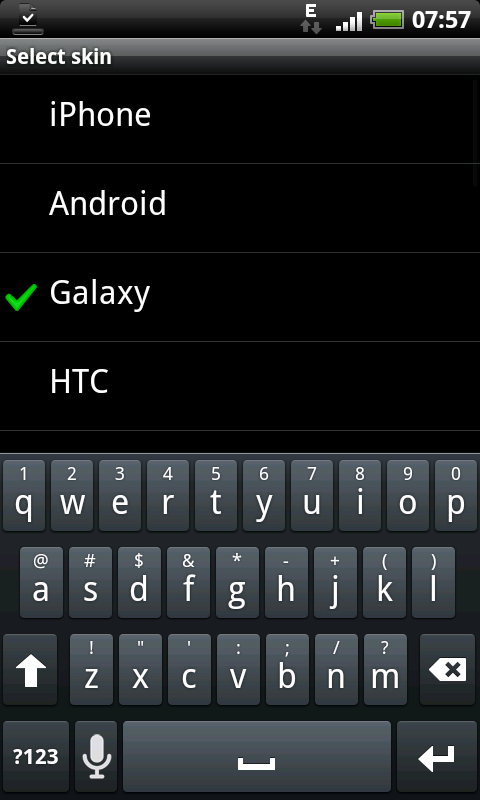
It has a bug on my DesireHD though. It doesn't show any icons on my shift/backspace/spacebar/enter keys. It shows the grey key itself but theres just no icon or text on the key. The other keys look normal.
Problem persists on landscape BTW.
Same here. Although i'm running the DesireHD build on my standard Desire.
Actually, going through the skins I have downloaded, the problem also occurs on Cupertino (normal and HD), Chiclet, Droid, Android+ and Galaxy.
Whereas there are no problems on iPhone, Android, Galaxy, HTC, Gray, White and Black.
What is different between those skins???
Screenshots below:
Attachments
snap20101207_080104.png
Zarch
Working Skin. (GALAXY)
Attachments
snap20101207_075719.png
flickmaker@gmail.com
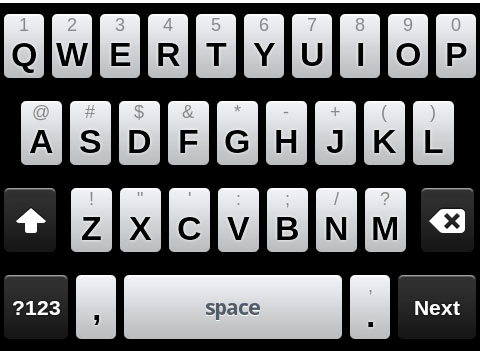
I really love this skin, but I wanted it with a black background. So I decided to modify it myself. All I did was color the bg.9.pngs to black. CAP2010120910381.jpg Here it is if anyone wants it.
Looks great in portrait mode but kinda looks vertically squashed and simply just not right in landscape mode.
Indeed, that's why the built-in iPhone skin has different images for landscape mode, otherwise it just doesn't look good. However different images for landscape are not supported currently in the skin engine...
This explains why all the other skins are different? I keep trying all these great skins but none of them have the nice small keys in landscape as the stock iPhone skin. I'd love to have this skin with the smaller landscape keys.
Tadly
Hey dude,
do you know if there is ANY way to change the keypress popup animation to someting like this?
PLEASE PLEASE PLEASE PLEASE DO THIS FOR ME! i WOULD BE VERY HAPPY IF YOU DID! PLEEEEEAAAAAASSSSSSSSEEE! If you can't, can you at least give me detailed instructions so i can do it myself
If anyone can help me, PLEASE DO!
Kalram
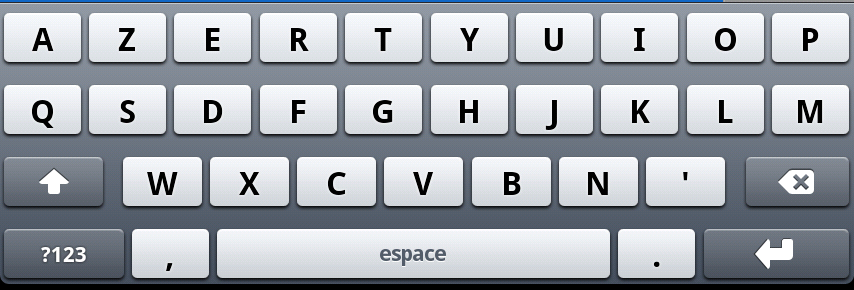
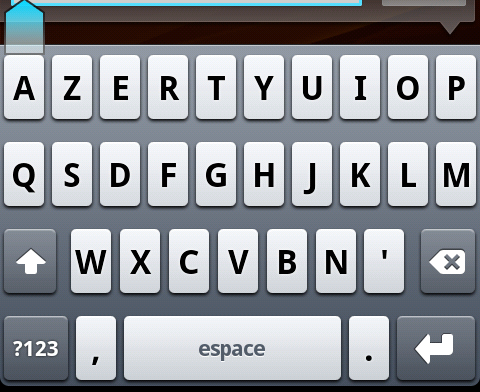
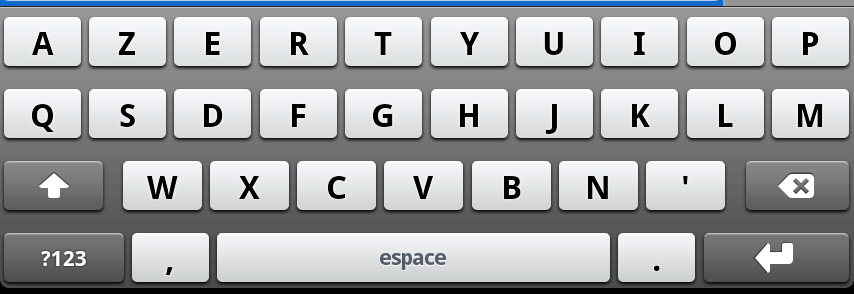
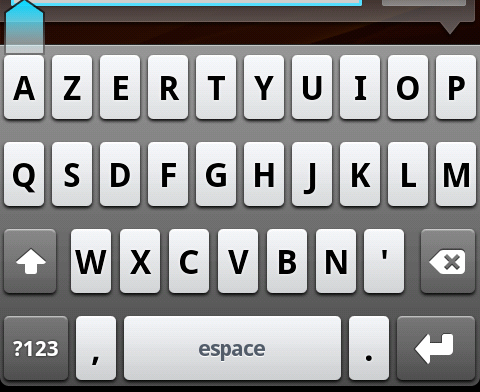
Hello, I discovered your theme, and made a French version! It was easy since I just had to change "space" to "espace", and create an Enter key logo.
I had installed skin on my device because of the fear of scratches. Yesterday, I had dropped my phone but it does not scratched due to skin on it. Skin also provide stylish and attractive look to my device. I am happy to have it in my life.
I love the skin but was wondering if you could make it with different color backgrounds instead of the blue. I like the spacing of this keyboard but I don't want it to look like a typical iphone. Thanks in advance!
jmsrch9
Buying a cell phone skin is just like clothes shopping though. You may want to actually do your shopping in person. This will allow you to go through the process of trying out different skins before you buy.
I had iphone skin cover on my device. This skin is easy to install and remove without leaving any sticky residue. I am very happy to have it on my device.
There was a feature request about this, but Cyril said that it's not high on the to-do list. I personally would love a way to skin the popups. One of the things I like about Better Keyboard 8 was that not only were there light/dark popup options, but the popups kind of faded in and had a neat animation. Bump the feature request if you want it, and maybe it'll get moved up the to-do list!
joandainty
Ipad skin covers are the best way to provide protection to your device. I had also ipad skin cover on my device that offers maximum protection from scratches and any other sort of damage.
Was wondering if someone could make this one with a maroon background instead of grey? Love this keyboard but would love the maroon background. Thanks!!
Agrajag
Would this work properly on a Droid RAZR? 540x960?
kittykatbaby16
Hi, was wondering if someone would please make this skin in grey? I am looking for a keyboard almost identical to the iphone one, but can't seem to find it. These are the closest I was able to find and they're great!
JonM
I would love to use this skin but CANNOT for the life of me get any skins to show up in the settings menu even though I have followed the 'How to install skins' thread instructions to the letter. I've posted in that thread but received no reply. Can anyone tell me how they got this skin to show up in their app settings? I have the skin installed as a .zip in the sdcard/skins folder but nothing shows up! Would really like to use this skin! Many thanks
wangCuiyun
I've been looking for an iphone skin. This one resemble the iphone more than the skin that came with smart keyboard pro. Please make a higher res version