Archived forum. This is a read-only copy of the Smart Keyboard community forum (2010–2015), kept for its history and its skins. Posts are shown as they were written, so some answers are out of date — see Help for current information. Want a post of yours removed? Email contact@smartkeyboardpro.com.

Space Bar & Full Stop (period)

Zarch
Doing a search, this appears to be a niggle for a few people, so I thought I'd raise it in its own topic in the right place.

I for one, am constantly hitting "full stop(period)" with my right thumb when going for the space bar. Calibration has helped improve accuracy with most other keys, but it can't help with this problem.

As we have comma (and no long press with it) on the left hand side and full-stop on the right hand side, is there any way that comma and full stop could be merged on the left hand key next to the space and then the space bar extended on the right hand side? The ' is already available as the long press character on C, so we wouldn't be losing anything.

I never used to have this problem on the iPhone, but i've just realised why, there is no , and . either side of the space.

External image (www.iphonefreak.com)


Anyone else having this problem?
Oveja
Agreed, The "," and "." keys should be removed. ( or given the option)

1. Hitting the spacebar twice gives you a period, which is what most people use anyways.
2. The comma is already listed in the auto suggest above the keyboard, which is where I use it from anyways.

I don't use either key, so why not make an option to get rid of them and make a larger spacebar? :)
teans
While I never hit period instead of space bar, and wonder how it could be possible with a space bar already four letters wide, I have a constant number of occasions hitting enter instead of period. So I second the opinion that it's an awkward place for a dot. Moving it leftside would be quite handy.
I disagree with other gentleman, that dot and comma not needed on main keyboard, always find it lacking using my iPhone.
Oveja
Which is why I suggested that it be optional... I don't find myself hitting period or comma instead of space either, but I don't use either of those keys, so It would be nice to simplify it and clean up the appearance. I often hit v instead of the second space oddly enough... and then press send before noticing and my messages end up something like "hey how's it going v"... lol probably an error while calibrating..
Zarch
The comma and full stop too useful to remove them, hence the suggestion to move them to a combined key on the left hand side.

I find it curious that the ' key is duplicated though.......

For me, an extended space bar to the right hand side would be an absolute winner. :D :D
cyril Developer
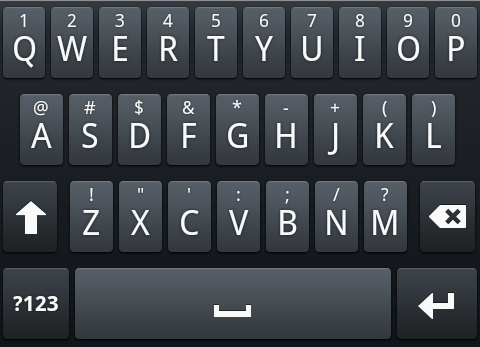
OK it seems to be a popular topic, and as it's almost Christmas, you can test this new option ("Large space bar") in the latest beta! I tested it in QWERTY, Compact, T9 (with or without Next key), in portrait, landscape, with or without language key (so hopefully all the possible layout combinations)

Here is how it looks like when the is no language key:

Attachments

device.png
device.png
Zarch
Cyril, where should I see the new space bar option? I can't see it in that beta.

Also, could you add a line with the version number to the opening settings page so we are sure to be running the correct version.?

Thanks.

Sent from my HTC Desire using Tapatalk
cyril Developer
Ooops, I'm stupid, I uploaded the wrong version... Try again the same link, it should work now!
bagou01
seems to be working for me, just misses the longpress to have coma or dot and it's the perfect keyboard :p
tu cartonne ;)
Zarch
cyril wrote:Ooops, I'm stupid, I uploaded the wrong version... Try again the same link, it should work now!
Yep, thats the right version Cyril, can see it now..... will report back later when i've had a play.

What are the odds of getting the full stop/comma back as a single key on the left hand side of the space bar? :D
bagou01
noooo just on a longpress :roll: (or a choice :p )
[SiMON]
I think a dot/comma button on the left would just be fine, 'cause the problem was because I "press" the space bar with my right thumb. This large space key is awesome, no more dots in the middle of my sentences now :D !
Enhanced
I think the best would be to leave a key to the left of the space bar with the default key as a comma and the long press key as a period (for those people who might want a period, I don't find myself ever going to use it personally). I find myself using a comma pretty often and long pressing to get it would get bothersome after a while. Better yet, you should just make it an toggleable option. The customizability of this keyboard is why I have made it as my default and this would be another plus. ;)

EDIT: Actually, reading a suggestion from the poster above in another thread, it would be the best if long pressing on the space bar added a comma. Then you can remove the other keys all together. This would be the BEST solution to this long spacebar, comma, period argument. I can't see a drawback arising from it either. The space bar is probably the most important key on the keyboard and is sorely lacking a long press function. Please make this input a comma! (If not, at the very least, make it do something. Helps add to the customizability.)
Zarch
After a day of use, the long space bar (and removal of the full stop) has certainly helped. No more false full stops littering my typing. Although I must say I do miss the comma, especially when composing emails where a more formal typing approach is required.

I would love to see a button the left of the space with full stop/comma, but as the poster above suggests, i suppose i could live with double press on the space = full stop and long-press on the space = comma.
[SiMON]
Yeah, that suggestion of double space = dot and long space = comma was my first idea, but having the dot/comma button on the left of the space bar could be good too, except if there are people out there who use their left thump to make space, in that case, use more functionnality on the space bar (double/long press) is probably the best.
Enhanced
If cyril doesn't see this suggestion (long press space bar), I'm totally going to make a new thread on it. I think it would enhance my productivity a lot.
cyril Developer
So I suggest to have long press on space bar for comma as the default, and dot as the secondary choice (dot with double space will remain of course)
Enhanced
Sounds great! But what do you mean by secondary choice? I just assume you'll have long press as a comma, single tap as a space and double tap as a period. That would be exactly how I would want it.
Zarch
Enhanced wrote:Sounds great! But what do you mean by secondary choice? I just assume you'll have long press as a comma, single tap as a space and double tap as a period. That would be exactly how I would want it.
That is my understanding too.

Sent from my HTC Desire using Tapatalk
cyril Developer
Just download the beta again, you will see what I meant!
Oveja
Perfection :D Awesome job Cryril, never disappoint :)

Edit: One suggestion: Could you make the "123" key the same size as the "enter" key so that the spacebar is evenly placed between the letters? I know it's small, but I'm OCD :P
Enhanced
It's pretty much exactly how I wanted it. Thanks cyril.

Only a single request though: can you make it auto add a space after the comma (on the long press on the space bar)? I wrote this in the beta thread too. Grammatically, there's always a space after a comma, no matter how you use it. Would just save an extra tap on the space bar after adding a comma. I tried to use the auto text to do this but it didn't work. Thanks!
bagou01
j'ai un peitt bug report pour la béta:
quand je suis dans la barre de séléction du destinataire d'un sms, la touche enter affiche le texte "suivant" qui dépasse de la touche
pareil pour quand je vais en édition de sms, la touche enter affiche "valider" qui dépasse également
cyril Developer
quand je suis dans la barre de séléction du destinataire d'un sms, la touche enter affiche le texte "suivant" qui dépasse de la touche
pareil pour quand je vais en édition de sms, la touche enter affiche "valider" qui dépasse également
Je ne sais pas trop quoi faire pour ce problème... Ce n'est pas facile de changer dynamiquement la taille de la touche entrée, et elle est optimisée pour l'anglais qui a des mots plus courts que dans les autres langues
bagou01
ben aucun problème de toutes façons ca n'est pas genant du tout ;) je voulais juste signaler ;)
ps: désolé d'être passé au francais, manque d'attention de ma part, je continue ne EN promis :lol:
Oveja
Could you put the period beside the comma in the suggestions bar with the "! , @" etc? That would be great!
bagou01
after a long thought, i really think the easiest way would have to have the " , " on the left of the spacebar and the " . " as a long press on that " , "
by the way, in the mean time, i put the dot and comma as two smileys so i have them both as a long press on the enter button :P
Zarch
I must admit after using it for a few days, the long press to get to the comma is frustrating.

I'd much prefer to see an actual comma button on the left hand side of the space bar.

The double press of the space bar for the full stop is fine though in most cases. Although if we do end up with a dedicated comma button, it would make sense to put a full stop on there as the long press option.

Sent from my HTC Desire using Tapatalk