Archived forum. This is a read-only copy of the Smart Keyboard community forum (2010–2015), kept for its history and its skins. Posts are shown as they were written, so some answers are out of date — see Help for current information. Want a post of yours removed? Email contact@smartkeyboardpro.com.
Create your own skins
onthecouch
Thanks Cyril for clarifying. So Zen, are the orange/green versions hi-res also? : )
eolsgaard
zen wrote:
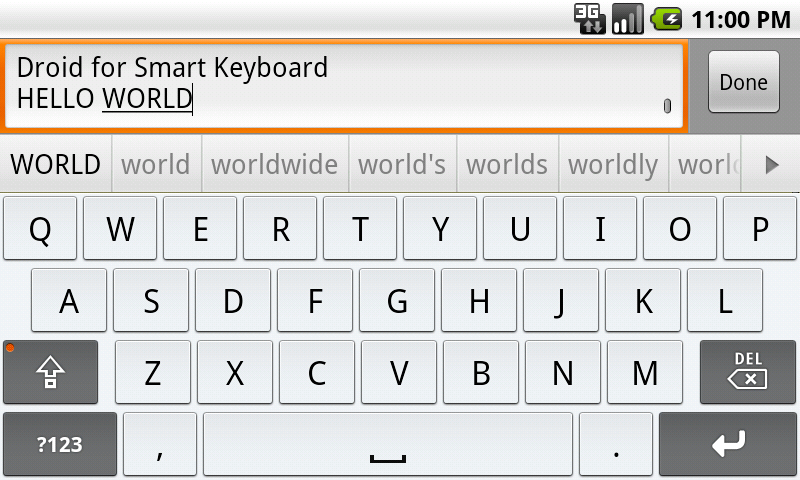
eolsgaard wrote: My only suggestion for the Chiclet one is to make the keys a little less rigidly square on the corners, but that's not really a big deal. It's one of my favorites!
Thanks. I was indeed going back and forth between 3 and 4 pixels chamfer, and still can't decide. Crazy how 1 pixel can be a world of difference Maybe for the hi-res I'll make it 4px chamfer and leave the medium-res at 3px as it is now. I kinda like the rigid feel.
As comparison, iPhone, Galaxy, HTC have theirs at 4px; iPhone 4 doubles it to 8px; while the Droid/MotoBlur stays sharp at 2px.
It does fit with the whole "droid" thing! Funny, because iPhone has always looked the most "cartoony" and this is totally why.
cyrilDeveloper
zen wrote:
Oveja wrote:I believe it just needs bold fonts and drop shadows on the letters, but that hasn't been enabled on the skins yet has it?
Yes, we're waiting for Cyril on that one. As soon as the xml spec and the theme parser are updated, I'll make the changes. Drop shadow with emboss effect needs x-y offset values though, so I'm not sure if that's too much work for Cyril to implement.
Well, I still need to enable the "bold" option (should be quick). About shadows, there is already an option but that's right, it has no x/y parameter at the moment (x/y are just... 0)
eolsgaard
Out of curiosity, is there a way to alter the color of the preview pop-ups? On the default HTC skin, it's black, and on SKP it's white. It would be fun to experiment with lots of different colors!
zen
onthecouch wrote:Thanks Cyril for clarifying. So Zen, are the orange/green versions hi-res also? : )
Yes
dsf
Hi, could someone please create like a version of the hd skins from better keyboard as i really like them, and i'm sure many others do too. thanks
sendvic
Hi, good and easy way to create skins but i'd also like to change:
Hi, will external skins slow down the keyboard, or make it less accurate please? Thanks
Link
Per request i have modified my original GlossBlack skin to include blue button press and also added darkened mod, shift and alt keys. Hope you like. GlossBlack2.png Moved here: http://www.dexilog.com/smartkeyboard/fo ... f=13&t=622
- Link
Link
Cyril,
Do you know if your keyboard will work on the Galaxy Tab? Any plan to support even higher res keyboards for that?
- Link
cyrilDeveloper
Well, afaik the maximum resolution supported by Android is hdpi (240 dpi). Is this tab supposed to have higher res? Bigger screen doesn't mean bigger res....
Link
Correct, and it looks to be at 240 as well. So your keyboard will work with it?
- Link
cyrilDeveloper
So I guess yes, the keyboard is supposed to work on every single Android device running Android >= 1.5 (which means 99.9% of the devices)
cyrilDeveloper
New improvement in the latest beta: the skin is now cached in the internal phone storage once you select it, so you can now use the keyboard even when the SD card is unmounted, and performance should be increased a lot! Waiting for your feedbacks
onthecouch
cyril wrote:New improvement in the latest beta: the skin is now cached in the internal phone storage once you select it, so you can now use the keyboard even when the SD card is unmounted, and performance should be increased a lot! Waiting for your feedbacks
Cyril, not sure what this means. Does this mean I should move my "Skins" folder to somewhere else? It's currently a folder in my phone's internal memory (not the microSD). I would like to take advantage of the increased performance (assuming it refers to less lag, etc).
Edit: I'm realizing this might be meant for skin developers... am I correct?
Link
cyril wrote:New improvement in the latest beta: the skin is now cached in the internal phone storage once you select it, so you can now use the keyboard even when the SD card is unmounted, and performance should be increased a lot! Waiting for your feedbacks
Works great so far. MUCH faster!
Thanks!
-Link
zen
cyril wrote:... the skin is now cached in the internal phone storage once you select it, so you can now use the keyboard even when the SD card is unmounted, and performance should be increased a lot! Waiting for your feedbacks
Everything looks fine so far; selecting a different skin goes smoothly, as well as loading and updating. I haven't noticed any significant performance increase when popping up the keyboard, although I suspect it's because I've been using a class 4 card all this time. For those of you who use a class 2 card, I'm sure this is a very nice feature to have.
I do love that it now stays accessible when the card is unmounted.
cyrilDeveloper
onthecouch wrote:Cyril, not sure what this means. Does this mean I should move my "Skins" folder to somewhere else? It's currently a folder in my phone's internal memory (not the microSD). I would like to take advantage of the increased performance (assuming it refers to less lag, etc).
No you don't need to move the "skins" directory anywhere. It means that the skins is copied automatically from (/sdcard/)skins directory to a private directory on phone storage, this is completely transparent. Of course if the "external storage" (usually it's associated to the /sdcard folder, but it may depend on the phone) is actually internal, I guess it will not make much difference. And for my information, where did you create your "skins" directory? Smart Keyboard should only be able to detect skins stored on the SD card...
cyrilDeveloper
@zen: I added the bold feature in the latest beta You just need to change the label tag like this:
<label bold="true">#FFFFFFFF</label>
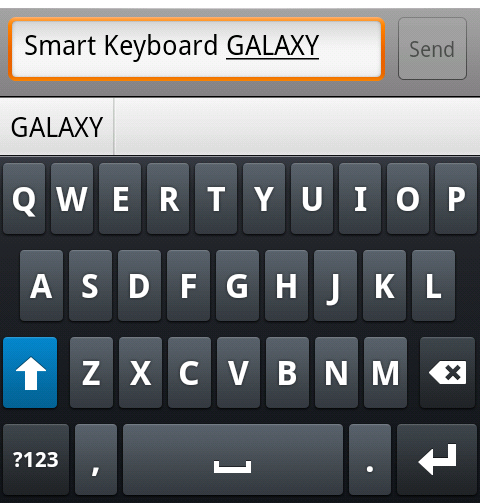
By the way is it ok to integrate the Galaxy skin in the next version? (it's in the beta). I think many people would want it
zen
cyril wrote:@zen: I added the bold feature in the latest beta You just need to change the label tag like this:
<label bold="true">#FFFFFFFF</label>
By the way is it ok to integrate the Galaxy skin in the next version? (it's in the beta). I think many people would want it
That would be nice, it saves people from a few extra steps. I'll allow it Afterall, I'm a fan of SKPro
I've updated the Galaxy with the new bold fonts tag, and also tweaked the Enter/return key symbol to look more like the original Galaxy S.
Any chance to fix it for the upcoming 3.7 release? Would be great if it loads that symbol, preferably on both states: shift toggled and shift locked.
Thanks Cyril.
onthecouch
Cyril, my "Skins" folder is in my phone SDcard. The internal one (aka not the one with Avatar movie).
cyrilDeveloper
onthecouch wrote:Cyril, my "Skins" folder is in my phone SDcard. The internal one (aka not the one with Avatar movie).
Ok, but I'm not sure I understand On the Nexus one, there is only one SD card, and it's a microSD (inside the phone, of course), and it's accessible in "/sdcard" directory. When I say the skin is now copied automatically to the internal storage, I really mean internal (i.e not the removable SD card, but the internal flash memory)
cyrilDeveloper
zen wrote:The active state for shift symbol still needs fixing:
Any chance to fix it for the upcoming 3.7 release? Would be great if it loads that symbol, preferably on both states: shift toggled and shift locked. Thanks Cyril.
Too late for 3.7.0 obviously But promised I will work on this
And thanks again for the Galaxy skin, it's a bomb!
markdmac
I have created my own skin by modifying the sample skin. When I click on a key the preview has a white background. How can I change that color to match the color of the alternate character popup? Thanks.
zen
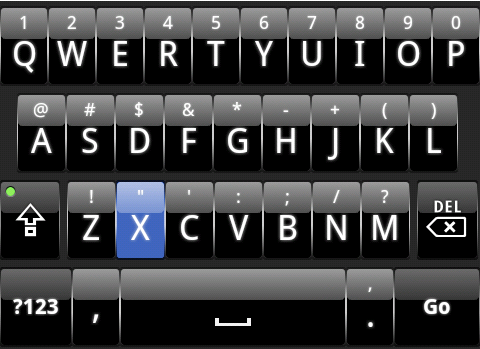
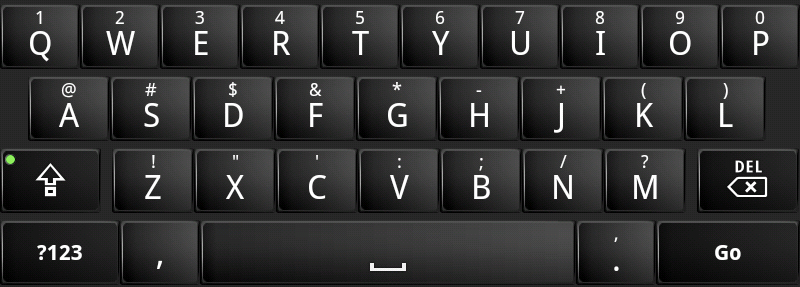
With so many of you using the Galaxy, I think it's time to also give a little love for its distant-cousin from Motorola.
So here's a new addition to the Smart Keyboard family: Droid. Download here:
Both normal and high resolution displays are supported.
Attachments
droidhd.png
zen
markdmac wrote:I have created my own skin by modifying the sample skin. When I click on a key the preview has a white background. How can I change that color to match the color of the alternate character popup? Thanks.
If you meant the preview popup box showing which letter/symbol were selected, unfortunately, you can't modify its background at this moment.
zen wrote: I've updated the Galaxy with the new bold fonts tag, and also tweaked the Enter/return key symbol to look more like the original Galaxy S.
For some reason the bold feature doesn't seem to be working on my Incredible... looks the same as normal.
Oveja
eolsgaard wrote:
zen wrote: I've updated the Galaxy with the new bold fonts tag, and also tweaked the Enter/return key symbol to look more like the original Galaxy S.
For some reason the bold feature doesn't seem to be working on my Incredible... looks the same as normal.
Make sure you download the one that zen posted, because the one that's now integrated in 3.7 doesn't have bold fonts (Fix plz cyril? c: ). And make sure you are selecting the correct Galaxy skin in the keyboard settings (there will be two labelled "Galaxy", choose the second).
Maybe for the hi-res I'll make it 4px chamfer and leave the medium-res at 3px as it is now. I kinda like the rigid feel.

As soon as the xml spec and the theme parser are updated, I'll make the changes. Drop shadow with emboss effect needs x-y offset values though, so I'm not sure if that's too much work for Cyril to implement.